GoodWorkflows
A DSL2 Nextflow pipeline for composing reusable single-cell RNA-seq workflows and running them on SLURM + Apptainer HPC systems.
Workflow selection guide
| Workflow | What it does | Compute requirement |
|---|---|---|
integration |
Download/load → export counts → harmonize → scMODAL integration | HPC + GPU (SLURM required) |
ingest_export |
Download/load Seurat RDS and export 10x-like counts | Local / Mac / HPC (CPU) |
ingest_tabulate |
Download/load cell metadata and build subjectIdTable.csv |
Local / Mac / HPC (CPU) |
nmf_vae |
Ingest → export → merge → NMF-VAE factorize | GPU |
gex_mil |
Ingest → export → merge → scVI + attention-MIL | GPU |
tcr_mil |
Ingest → quantify TCRs → BertTCR MIL | GPU |
tcr_epitope |
Ingest → quantify TCRs → ESM-2 embed → epitope binding | GPU |
make_tcr_vector_database |
Ingest → extract TRA/TRB → ESM-2 embed → per-cDNA_ID vector database |
GPU |
batch_effect_assessments |
Ingest → LISI / CiLISI / ASW / optional kBET on Seurat embeddings | HPC CPU (GoodWorkflows base) |
Select the workflow with --workflow <name>.
Ingest flexibility: LabKey, URL, or local file
Every sample row picks exactly one ingest mode:
| Column | Source | Requires |
|---|---|---|
output_file_id |
LabKey / Prime-seq server | --labkey_base_url, --labkey_folder, ~/.netrc |
url |
Publicly downloadable RDS / h5ad | Only the URL |
path |
Local file on disk | Only the filepath |
Mixed-sample sheets are supported — each row dispatches to the right module automatically. See Data Formats → Samplesheet.
Quick start
Local / Mac — LabKey mode
nextflow run main.nf \
  --workflow ingest_tabulate \
  --labkey_base_url https://labkey.example.org \
  --labkey_folder /My/Project/Folder
Local / Mac — URL or file mode (no LabKey required)
# URL mode
nextflow run main.nf \
  --workflow ingest_export \
  --input data/samplesheet_url.csv

# File mode
nextflow run main.nf \
  --workflow ingest_export \
  --input data/samplesheet_file.csv
HPC (full GPU pipeline)
For routine SLURM runs, the recommended entrypoint is a copied template/run.sh under runs/<name>/. The command below shows the repo-root launcher alternative, which is also the easiest way to submit a separate pre-pull job before the orchestrator starts.
# Preferred from a login node: submits pre-pull first, then the orchestrator
bash slurm_nextflow.sh \
  --workflow integration \
  --labkey_base_url https://labkey.example.org \
  --labkey_folder /My/Project/Folder
LabKey credentials
Only samples using output_file_id require LabKey credentials via ~/.netrc. URL and file-mode samples do not need .netrc or LabKey parameters at all.
Repository layout
.
├── main.nf                 # Thin launcher
├── workflows/              # Higher-level workflow definitions
├── modules/local/          # Single-step DSL2 modules
├── configs/                # Base + profile-specific configs
├── data/                   # Default input location (samplesheet.csv)
├── template/               # Copyable per-run launcher scaffold
├── outputs/                # Published results (generated)
├── work/                   # Nextflow work dir (generated)
├── logs/                   # Nextflow reports and SLURM logs (generated)
├── docs/                   # Documentation source (this site)
├── mkdocs.yml              # MkDocs site config
├── nextflow_schema.json    # Machine-readable parameter API (JSON Schema)
├── slurm_nextflow.sh       # HPC SLURM submission wrapper
└── slurm_sync_repo.sh      # Lightweight HPC repo sync job
For routine SLURM runs, prefer copying template/ into runs/<name>/ and submitting run.sh. Use bash slurm_nextflow.sh ... when you want the repository-root launcher and a standalone Apptainer SIF pre-pull job submitted before orchestration. The detailed comparison lives in Usage.
Representative outputs
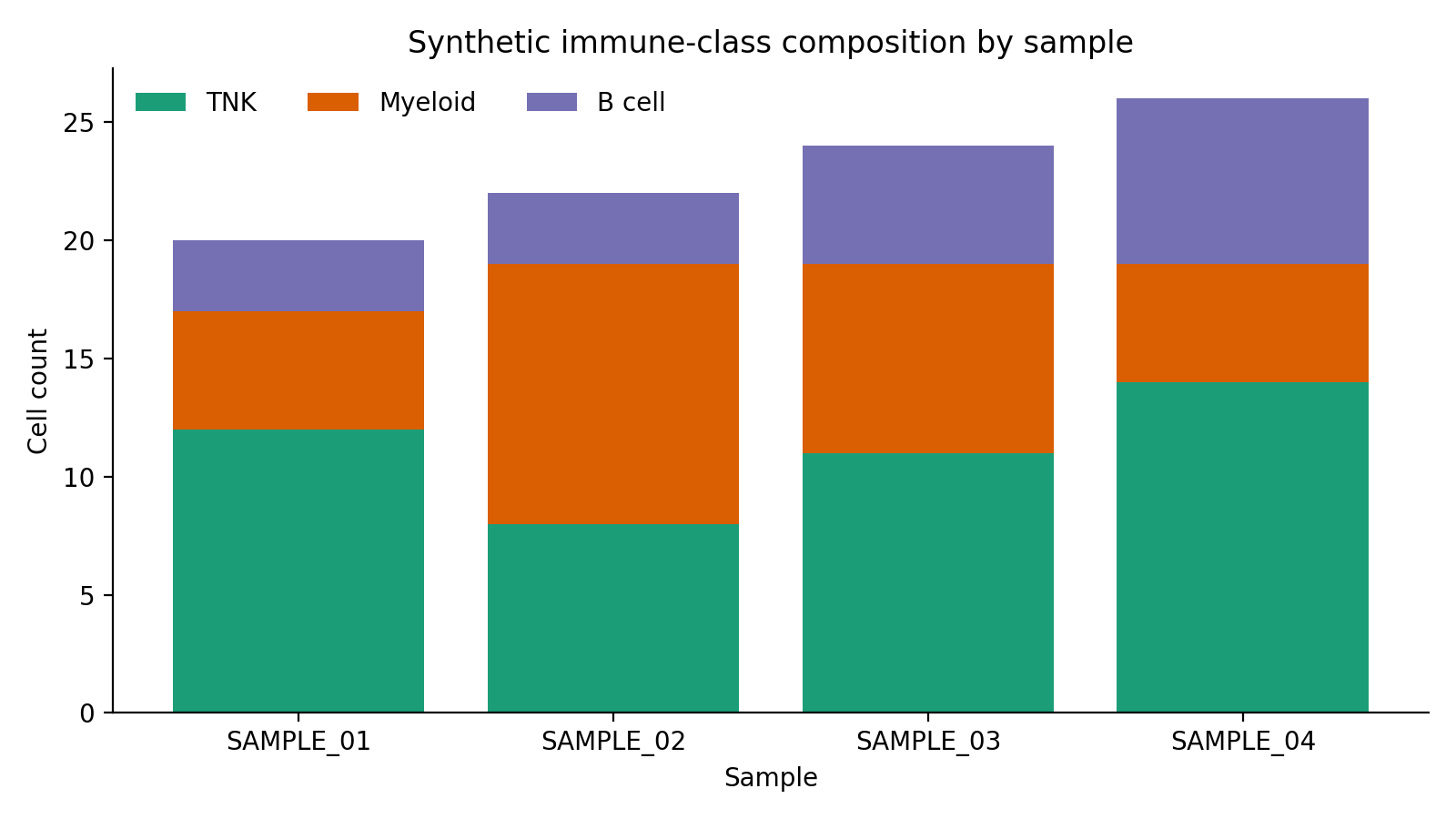
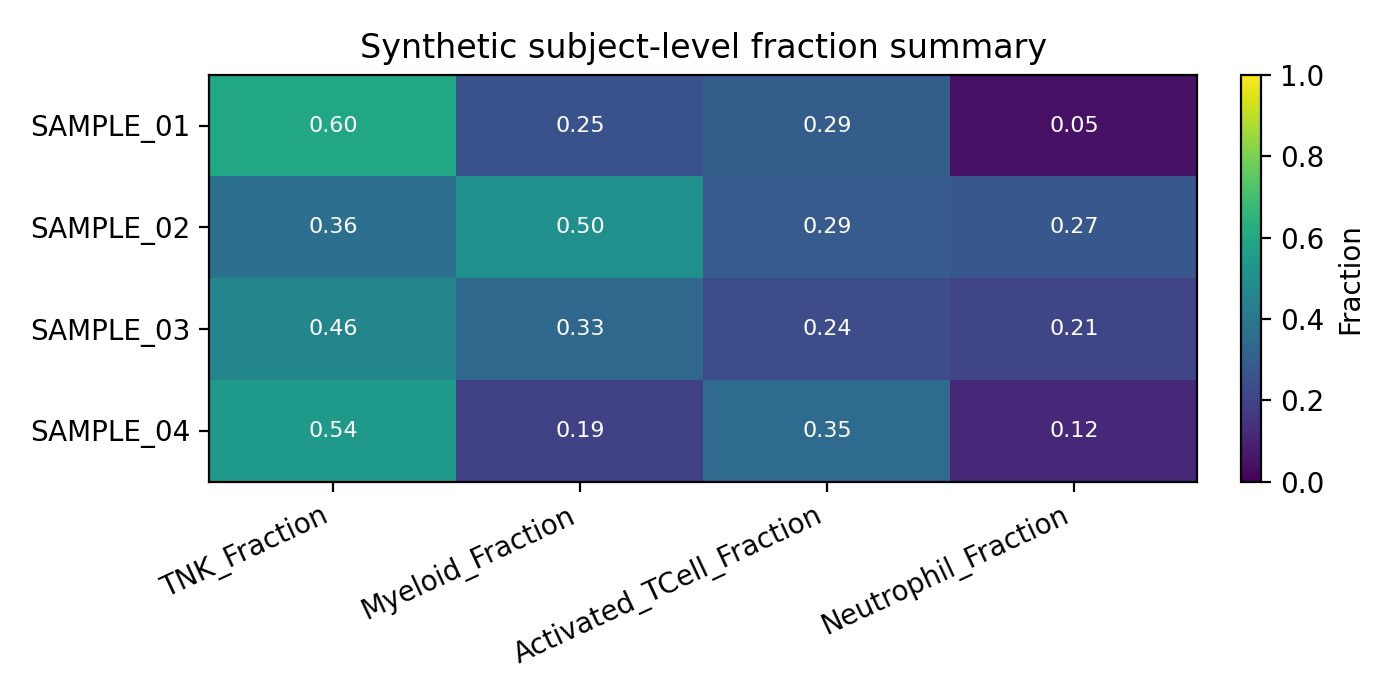
The docs site ships with seeded synthetic examples so the workflow pages can show safe, reproducible output shapes without live LabKey access.
| Cell metadata composition | Subject-level tabulation | Exported count matrix |
|---|---|---|
 |
 |
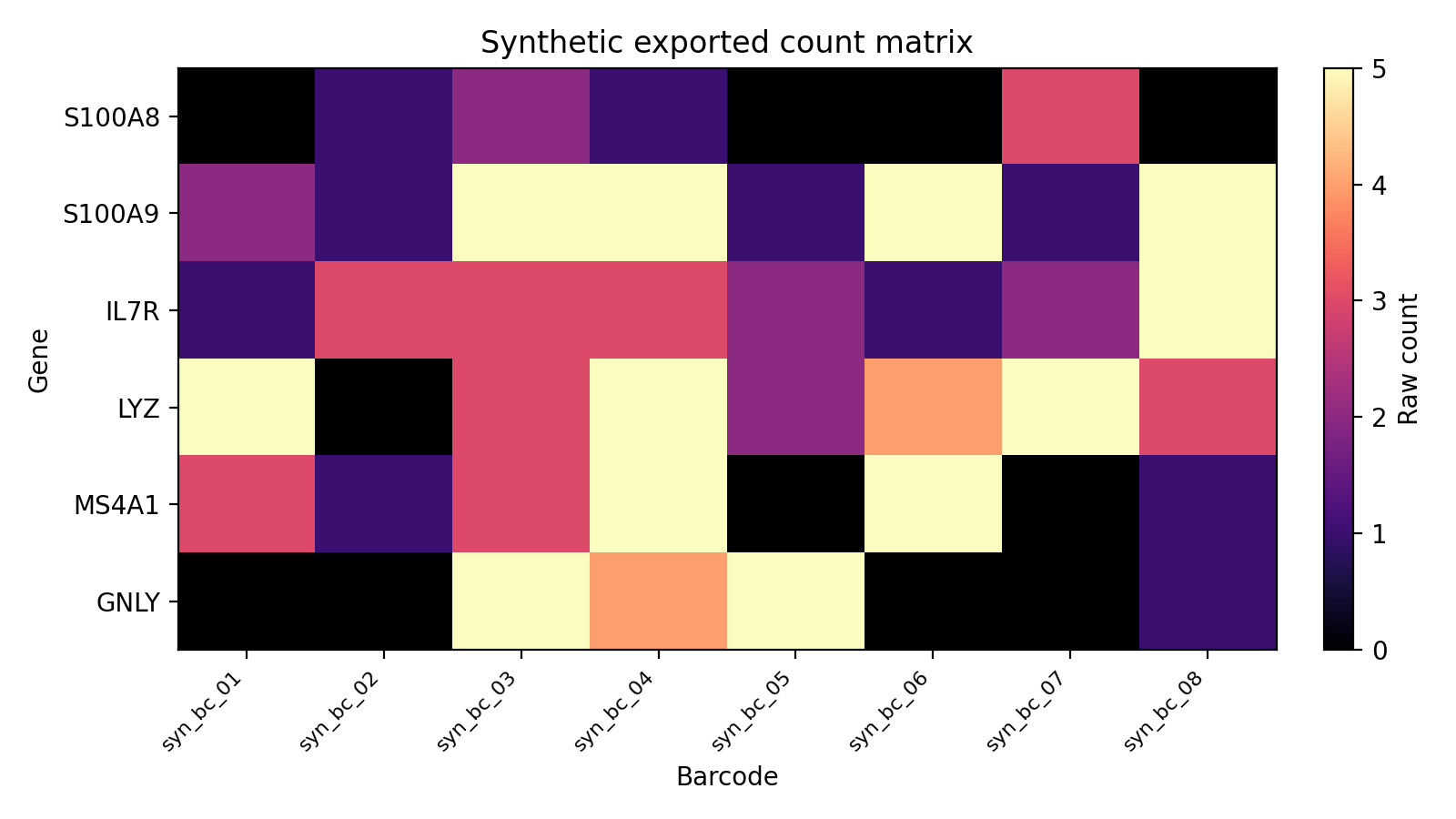 |
See the Synthetic Tabulation Walkthrough for the full end-to-end explanation of where these files come from and how they map to the workflows.
Generated API reference
The API Reference section is rebuilt with uvx nf-docs generate during docs CI. Use those pages for code- and schema-level reference, and use the curated workflow pages for stage-by-stage semantics, expected file layouts, and visual examples.